How to Secure Your Cryptocurrency Wallet: Essential Steps to Prevent Theft and Loss
 Dec, 4 2025
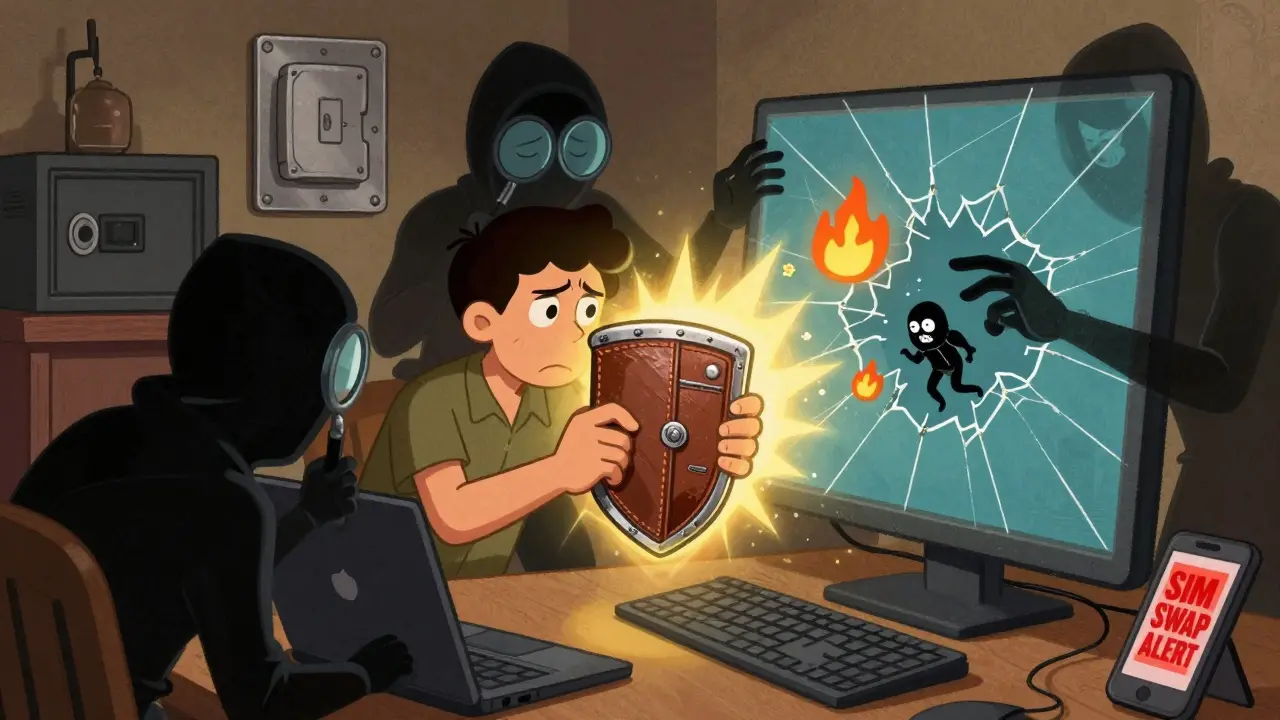
Every year, over 1.2 billion in cryptocurrency gets stolen - and most of it isn’t hacked from exchanges. It’s taken because someone didn’t secure their wallet properly. If you hold crypto, you’re not just holding digital money. You’re holding the keys to your assets. Lose those keys, or let someone else get them, and your funds vanish forever. There’s no customer service line. No reset button. No refund.
Securing your cryptocurrency wallet isn’t about being paranoid. It’s about being smart. The difference between a safe wallet and a compromised one comes down to a few simple, repeatable habits - plus the right tools. Here’s how to do it right, step by step.
Use a Hardware Wallet for Long-Term Storage
Software wallets - the apps on your phone or computer - are convenient. But they’re also vulnerable. If your device gets infected with malware, your private keys can be stolen in seconds. That’s why the gold standard for holding more than a few hundred dollars in crypto is a hardware wallet.
Hardware wallets like the Ledger Nano S Plus or Trezor Model T store your private keys offline, inside a tamper-resistant chip. Even if your computer is hacked, the wallet itself stays safe. Transactions are signed on the device, not your phone or PC. You physically confirm each transaction on the wallet’s screen. This prevents attackers from changing the recipient address or amount without you noticing.
According to Ledger’s Donjon security team, hardware wallets reduce the risk of theft by 99.4% compared to hot wallets. That’s not a guess - it’s based on real-world attack data from 2024. If you’re holding crypto for more than a few weeks, this is non-negotiable.
Never Store Your Seed Phrase Digitally
Your 12- or 24-word recovery phrase is the master key to your wallet. If someone gets it, they own your crypto. That’s why storing it on your phone, in a cloud note, or even in an encrypted file on your computer is a disaster waiting to happen.
Over 20% of lost cryptocurrency, according to Chainalysis’ 2025 report, is gone because the seed phrase was lost or destroyed. Another 12% were stolen because users stored them in Google Drive, iCloud, or Notion - and those accounts got hacked. One user in April 2025 lost $87,000 after their Google account was compromised through a SIM swap. Their seed phrase was in a PDF they’d uploaded to Drive.
Write your seed phrase on paper. Use a metal seed phrase backup like Cryptosteel or Billfodl - they survive fire, water, and crushing. Store copies in separate, secure locations: one in a home safe, one with a trusted family member, one in a safety deposit box. Never take a photo. Never email it. Never type it into any website - even one that looks legit.
Enable Multi-Signature (Multi-Sig) for Active Funds
If you’re actively trading or using crypto for payments, you need quick access. But you still need security. That’s where multi-signature wallets come in.
Multi-sig requires 2 or more keys to approve a transaction. For example, you can set up a 2-of-3 setup: one key on your hardware wallet, one on a second device, and one held by a trusted person or service like Casa. You need two of those three to move funds. Even if your main wallet gets compromised, the attacker can’t drain your account without the other keys.
A 2025 MIT study found that multi-sig reduces single-point failure risk by 92%. It adds a few seconds to each transaction and increases gas fees by 15-25%, but the trade-off is worth it for any amount over $5,000. Platforms like Ledger Live and BitGo support multi-sig setups. Don’t use it for small daily spending - save it for your medium-term holdings.
Use Strong Passwords and App-Based 2FA - Not SMS
Many people think their wallet password is just for the app. It’s not. It’s your first line of defense against someone accessing your wallet software. Use a password with at least 15 random characters - no names, birthdays, or common words. Tools like Bitwarden or 1Password can generate and store these securely.
Two-factor authentication (2FA) is mandatory. But don’t use SMS. It’s easy to bypass with SIM-swapping attacks. In 2024, the FBI reported over 1,300 crypto-related SIM-swaps. Instead, use an authenticator app like Authy or Google Authenticator. These generate codes locally on your device. Even better: use a hardware security key like YubiKey. It’s the most secure 2FA method available.
Google’s 2025 security report shows app-based 2FA reduces account takeovers by 96% compared to SMS. That’s not a small improvement - it’s the difference between being vulnerable and being safe.

Only Keep What You Need in Hot Wallets
Hot wallets are convenient, but they’re also the most dangerous. Keep only what you plan to spend in the next 7-14 days. The rest should be in cold storage.
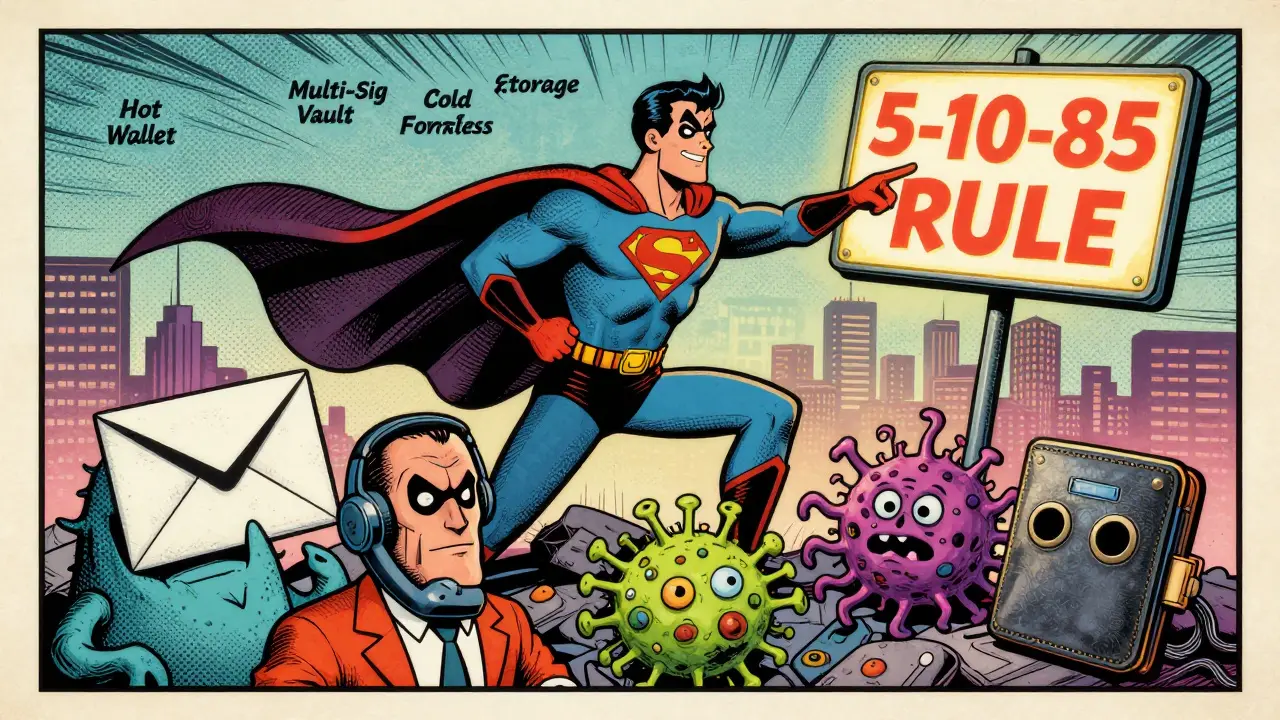
Follow the 5-10-85 rule: 5% in a hot wallet for daily use, 10% in a multi-sig wallet for medium-term needs (like staking or DeFi), and 85% in a hardware wallet kept offline. This limits your exposure. If your phone gets stolen or infected, you lose the 5% - not your life savings.
Platforms like MetaMask or Trust Wallet are fine for small amounts - as long as you never store your seed phrase on them and always verify addresses before sending. Always double-check the last four digits of a recipient address. Scammers often create fake addresses that look identical - one letter or number changed.
Revoke Unused Token Approvals
When you connect your wallet to a DeFi app, you often grant it permission to spend your tokens. Most users don’t realize these approvals stick around forever. The average wallet has 17 active token approvals, according to Revoke.cash data from Q2 2025.
One of these could be a compromised protocol. If a DeFi platform gets hacked, attackers can drain your tokens automatically - even if you never interacted with it again. This is called an “allowance attack.”
Use Revoke.cash or Etherscan’s approval checker to review and revoke every approval you don’t need. It takes two minutes. It’s one of the most overlooked security steps - and one of the easiest to fix.
Avoid Public Wi-Fi and Use Dedicated Devices
Connecting your wallet to public Wi-Fi is like leaving your front door open in a bad neighborhood. In 2024, Kaspersky reported a 47% increase in crypto thefts via public networks. Attackers use man-in-the-middle tools to intercept your session, steal cookies, or inject fake transaction screens.
Always use a private, secure connection. Even better: use a dedicated device for crypto. It doesn’t have to be expensive. An old Android tablet or a $50 Chromebook, used only for wallet access, is safer than your main laptop. Keep it offline when not in use. Install no games, no streaming apps, no random browser extensions.
RockWallet’s 2025 guide found that users who followed this practice reduced their risk of compromise by 89%.
Buy Hardware Wallets Only From Official Sources
Counterfeit hardware wallets are real. In Q1 2025, 12% of Ledger devices sold on Amazon Marketplace were fake - pre-loaded with malware that captured seed phrases during setup. The device looked real. The packaging looked real. The screen lit up. But the private keys were sent to a hacker’s server before you even saw them.
Always buy directly from the manufacturer’s website: Ledger.com, Trezor.io, or BitBox.com. Avoid eBay, Amazon third-party sellers, or local electronics shops. Check the URL. Look for HTTPS. Verify the SSL certificate. If the price seems too good to be true, it is.
Update Everything - Always
Wallet firmware, operating systems, and apps get patched for a reason. In November 2025, a critical vulnerability was found in older versions of Ledger Live that allowed remote code execution under specific conditions. It was fixed in version 3.12. Users who didn’t update were at risk.
Set automatic updates for your wallet app and device firmware. Never ignore a security patch. If your wallet requires a specific OS version (like iOS 17 or Android 13+), make sure your device meets it. Outdated systems lack critical security fixes.
Know What to Do If You’re Compromised
Even with all these steps, things can go wrong. If you suspect your wallet was breached:
- Immediately stop using the affected device.
- Transfer all funds from the compromised wallet to a new, secure one - before the attacker does.
- Revoke all token approvals on Revoke.cash.
- Change passwords and 2FA on all related accounts (email, exchange, etc.).
- Never panic-sell. The market will recover. Your crypto won’t.
Remember: if you lost your seed phrase, there’s no recovery. If your private key was stolen, the funds are gone. Prevention is the only real solution.
Future-Proofing Your Security
Security isn’t static. New threats emerge every year. Quantum computing could one day break current encryption. That’s why companies like Ledger are already testing quantum-resistant algorithms. The first wallets with this feature are expected in late 2025.
Right now, the best defense is layered: cold storage, multi-sig, strong passwords, app-based 2FA, no digital seed phrases, and constant vigilance. Combine these, and your risk of loss drops to less than 1 in 10,000 - according to Imperial College London’s 2024 study. That’s not perfect, but it’s close enough to sleep well at night.
Can I recover my cryptocurrency if I lose my seed phrase?
No. Cryptocurrency transactions are irreversible, and private keys are the only way to access funds. If you lose your seed phrase and don’t have a backup, your assets are permanently gone. There is no customer support, no reset option, and no recovery service that can restore them. This is why backing up your seed phrase correctly is the most important step in securing your wallet.
Is a hardware wallet really safer than a software wallet?
Yes, significantly. Hardware wallets store private keys offline inside a secure chip, making them immune to malware, phishing, and remote hacking. Software wallets run on internet-connected devices - phones, laptops, tablets - which are vulnerable to viruses, keyloggers, and screen capture tools. Ledger’s 2025 security report shows hardware wallets reduce theft risk by 99.4% compared to hot wallets. For any amount over a few hundred dollars, a hardware wallet is the only sensible choice.
What’s the difference between multi-sig and a regular wallet?
A regular wallet uses one private key to sign transactions. If that key is stolen, the attacker takes everything. A multi-signature (multi-sig) wallet requires two or more keys to approve a transaction. For example, a 2-of-3 setup means you need any two out of three keys to send funds. This means even if one device is compromised, your funds are still safe. Multi-sig adds a layer of redundancy and is ideal for larger holdings or shared accounts.
Why shouldn’t I store my seed phrase on my phone or in the cloud?
Any internet-connected device is a potential target. Phones get hacked, cloud accounts get breached through phishing or SIM-swapping, and apps can be compromised. In 2025, Chainalysis reported that 62% of wallet loss incidents were due to poor seed phrase management - and most of those involved digital storage. A photo, a note in Notes, a PDF in Dropbox - all of these can be accessed remotely. Your seed phrase must be stored physically, on paper or metal, in a secure, offline location.
Are all hardware wallets the same?
No. Some use basic chips with weaker security. Others, like Ledger’s Nano S Plus, use a Secure Element chip (ST33J2M0) certified to FIPS 140-2 Level 3 standards - the same used in banking and government systems. Also, some wallets support more cryptocurrencies, have better screens for verifying transactions, or offer multi-sig integration. Always buy from the official website to avoid counterfeit devices. Don’t assume all hardware wallets are equal - the difference in security can be massive.
What should I do if I think my wallet has been hacked?
Act immediately. First, stop using the device. Then, transfer any remaining funds to a new, secure wallet - before the attacker moves them. Revoke all token approvals on Revoke.cash. Change passwords and 2FA on all related accounts. Don’t panic-sell. Monitor your wallet address on a blockchain explorer. If you didn’t lose your seed phrase, you can still recover. But if your private key was exposed, assume the funds are gone. Prevention is always better than reaction.
How often should I update my wallet software?
Always. Security updates fix known vulnerabilities. In November 2025, a critical flaw was patched in Ledger Live that could allow remote code execution. Users who didn’t update were at risk. Set your wallet app and device firmware to auto-update. Never delay a security patch. Outdated software is one of the easiest ways hackers gain access.
Joe B.
December 4, 2025 AT 13:57Bro just bought a Ledger because of this post and holy shit the screen is tiny. Like I’m squinting like my grandpa reading a newspaper. And the USB-C port? Feels like it’s gonna snap if I look at it wrong. But hey, at least my crypto isn’t getting drained by some bot in my browser. Still… why does everything crypto feel like a DIY bomb defusal kit?
Jess Bothun-Berg
December 4, 2025 AT 20:04Hardware wallet? Nah. I use a paper wallet I folded into a paper airplane and launched it into the Pacific. If it comes back? I’ll know it’s cursed. If not? Well… I guess I’m crypto-rich now. Or dead. Either way, I’m vibing.
Rod Filoteo
December 6, 2025 AT 11:40Did you know the government already has backdoors in every Ledger? They do. They paid the devs. Look at the firmware updates-they always come right after a new law passes. I’ve got my seed phrase etched into a titanium plate… buried under my ex’s house. She’ll never find it. But the feds? They’ll dig it up. I’m not paranoid. I’m prepared.
Layla Hu
December 8, 2025 AT 06:28I just write mine on a card and keep it in a ziplock bag in my sock drawer. It’s not fancy. But it’s not online. And I’m not scared of my cat.
Nora Colombie
December 9, 2025 AT 05:51Why are we trusting American-made hardware wallets? China’s got quantum-resistant chips. Russia’s got air-gapped systems. We’re still using Ledger like it’s 2017. This is why America’s losing the crypto war. Buy Chinese. Or at least get a Trezor with a Russian firmware mod. Patriotism is dead, but your BTC isn’t.
Bhoomika Agarwal
December 9, 2025 AT 06:26Bro you’re telling me to use a hardware wallet but you didn’t mention that Ledger’s CEO once said ‘crypto is just a vibe’? I mean… if the guy who sells you the box thinks it’s a vibe, why are you buying it like it’s a nuclear launch code? 😂
alex bolduin
December 11, 2025 AT 05:18Security isn’t about tools. It’s about mindset. If you treat your keys like they’re your firstborn, you won’t store them in Google Drive. If you treat them like a coffee password, you’ll lose them in a meme. The wallet doesn’t save you. You do.
Vidyut Arcot
December 13, 2025 AT 02:11Just started with crypto last month and this guide saved me. I used to keep my seed phrase in a note called ‘money’ on my phone. Yikes. Now I’ve got a metal backup in my desk drawer. Still nervous every time I send a transaction. But hey, better nervous than broke.
Ankit Varshney
December 15, 2025 AT 01:00Multi-sig sounds great but I don’t know anyone I’d trust with a key. My brother once tried to ‘help’ me fix my phone and wiped my entire photo library. I can’t imagine him holding my crypto keys. Maybe I’ll just keep it all in cold storage and pretend I’m a monk.
Ziv Kruger
December 16, 2025 AT 18:34They say don’t store your seed phrase digitally but they don’t say why. It’s not because it’s dangerous. It’s because they want you to buy a metal backup. $50 for a steel plate? That’s not security. That’s capitalism with a side of FOMO.
Heather Hartman
December 18, 2025 AT 08:46I just bought a YubiKey and now I feel like James Bond. I’ve got my hardware wallet, my 2FA, my metal backup, and a candle I light every time I check my balance. It’s not just security. It’s a ritual. And honestly? I sleep better now. 🕯️
Catherine Williams
December 19, 2025 AT 10:35For anyone new: don’t panic if you mess up. I sent 0.05 ETH to a wrong address once. Took me 3 days to stop crying. But I learned. Now I double-check every address. And I write ‘SEND’ on a sticky note before I hit confirm. Weird? Maybe. Safe? Absolutely.
Mohamed Haybe
December 20, 2025 AT 20:24Why are we still using Ethereum? It’s slow. It’s expensive. And the devs are all in San Francisco sipping oat milk lattes while we pay $40 to send a dollar. Use Solana. Use Polygon. Use anything but this. And stop pretending multi-sig is magic. It’s just more complexity for people who don’t know what a private key is.
Marsha Enright
December 21, 2025 AT 10:49Revoke.cash is a lifesaver. I had 23 approvals from apps I haven’t used since 2022. One of them was from a DeFi site that got hacked last month. I revoked them all in 90 seconds. That’s like locking 23 doors you forgot you left open. Do it. Now.
Andrew Brady
December 22, 2025 AT 05:35Public Wi-Fi? Use a VPN. But not just any VPN. Use a military-grade, no-log, Swiss-based one. And don’t even think about using your phone’s hotspot. They track MAC addresses. They track IPs. They track your breath. This isn’t paranoia. This is survival.
Sharmishtha Sohoni
December 22, 2025 AT 22:41Hardware wallet + metal backup + 2FA = safe. Everything else is noise.
Althea Gwen
December 24, 2025 AT 02:40I’ve got my seed phrase tattooed on my inner thigh. Not joking. If I die, my sister gets the photo. If I get kidnapped, they’ll have to peel it off. Either way, I win. Crypto or death. No in-between. 😎
Durgesh Mehta
December 24, 2025 AT 20:14Just wanted to say thanks for this. I used to think crypto was just gambling. Now I get it. It’s like owning a vault. And you’re the only one with the key. That’s kind of beautiful.
Sarah Roberge
December 25, 2025 AT 05:00Wait… so if I lose my seed phrase… I just… lose everything? Like my entire life savings? But I thought crypto was supposed to be the future? Why does the future feel like a horror movie where no one calls 911?
Steve Savage
December 25, 2025 AT 19:09I keep my hardware wallet in a locked drawer. My wife doesn’t know I have it. She thinks I’m just ‘playing with apps.’ I don’t tell her. She’d panic. Or worse-she’d want to know the password. Some secrets are better kept quiet.
Greer Dauphin
December 27, 2025 AT 10:17So I tried multi-sig. Set up a 2-of-3. One key on my phone. One on my laptop. One with my buddy in Austin. Then my laptop died. Then my phone got stolen. Then Austin moved to Bali. Now I’m stuck with one key and a $5000 wallet I can’t touch. Lesson learned: multi-sig is great… until it’s not.
Katherine Alva
December 27, 2025 AT 23:31There’s something poetic about holding your wealth in a device that can’t be hacked… if you don’t touch it. The more you use it, the more you risk. The less you use it, the more it feels like a museum piece. Maybe the best wallet is the one you never open.
Nelia Mcquiston
December 28, 2025 AT 22:59People act like crypto security is rocket science. It’s not. It’s just… consistency. Don’t store it digitally. Don’t use SMS. Update your firmware. Revoke approvals. Do it every month like brushing your teeth. It’s not glamorous. But it works.
Mark Stoehr
December 30, 2025 AT 03:57Why are we even talking about hardware wallets? The real threat isn’t hackers. It’s you. You forget your password. You lose your phone. You screenshot your seed phrase. You trust your cousin. The tech is fine. The human is the bug.
Shari Heglin
December 30, 2025 AT 15:41The article inaccurately conflates ‘security’ with ‘convenience.’ Multi-sig increases transaction latency and cost. Hardware wallets are not immune to social engineering. And ‘revoke.cash’ is a third-party service with its own attack surface. A more rigorous analysis would acknowledge these trade-offs rather than present a checklist as gospel.